Visual Audio Overlay
A downloadable tool
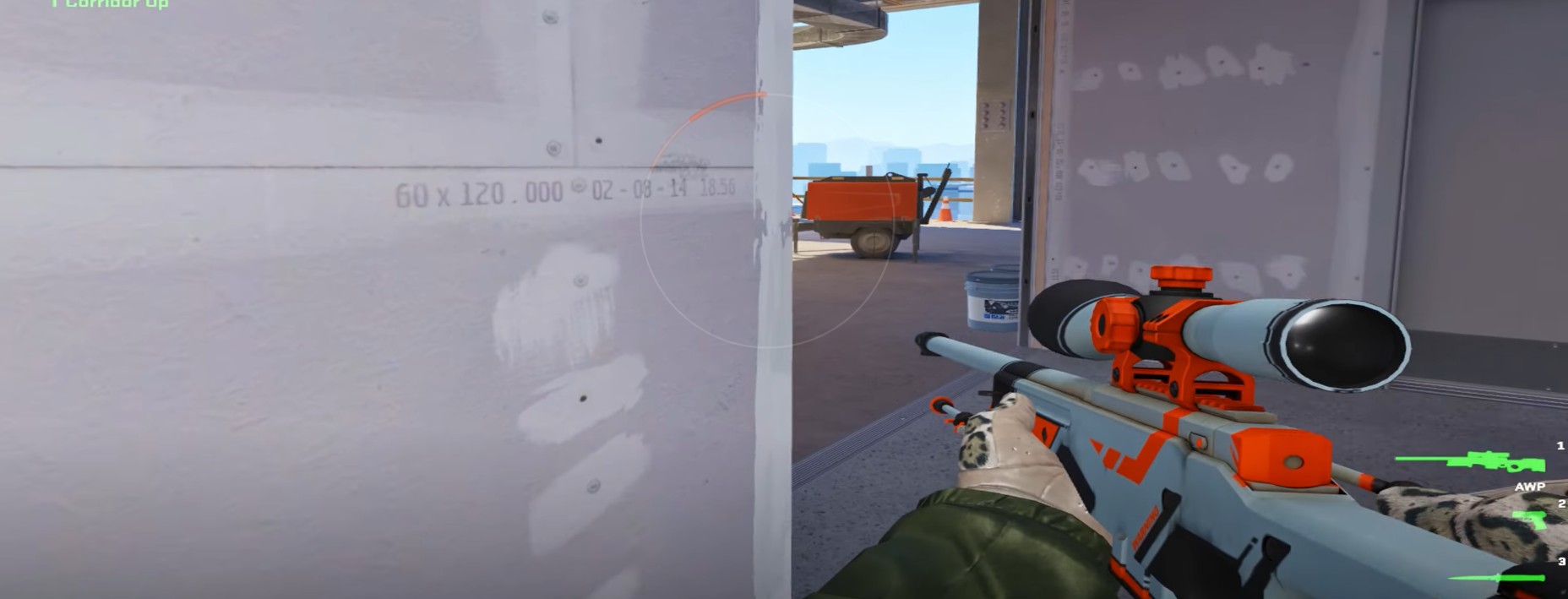
See what you can't hear. Visual Audio Overlay is an accessibility overlay designed specifically for gamers with Single-Sided Deafness (SSD) or hearing impairments. It visualizes in-game audio on your screen in real-time, helping you "see" where footsteps, gunshots, and abilities are coming from.
Unlike simple Left/Right volume meters, Visual Audio Overlay places a sleek, transparent, Fortnite-style circular overlay on your screen.
🆕 What's New in This Version
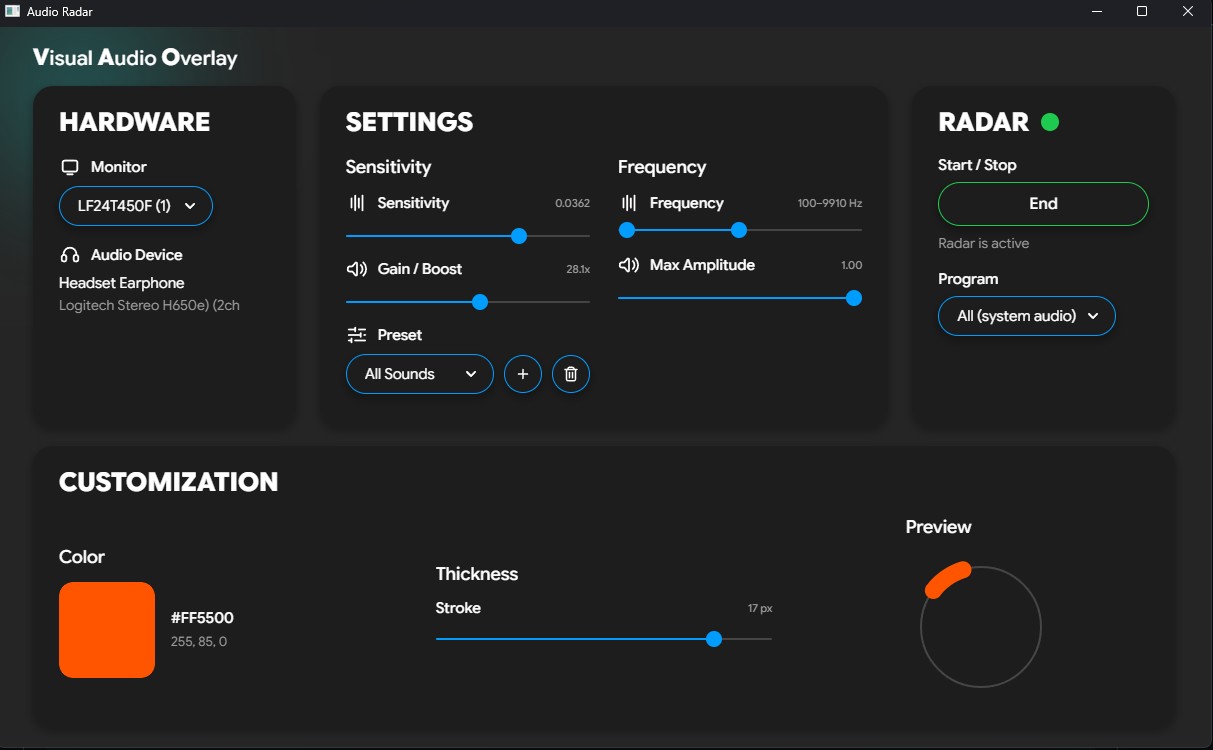
- Redesigned control panel: a cleaner, single-window interface (Hardware, Settings, Radar, and Customization all in one view, no scrolling).
- Full radar customization: pick your own accent color and line thickness, with a live preview that matches exactly what shows up in game.
- One-click Start / End with a clear status indicator.
- Preset controls: add and remove your own presets right from the panel.
- Program selector (preview): the groundwork for capturing a single app's audio. Per-app capture (so you can ignore Discord voice chat and hear only the game) is in active development.
- Now a portable .exe: no Python setup required.
✨ Key Features
- Modern interface: A beautiful, non-intrusive control panel that runs on a secondary monitor while the radar overlays on your main game monitor.
- Game-Specific Filters: Built-in frequency bandpass filters (e.g., CS2, Valorant, Fortnite) to isolate footsteps and ignore useless low-end rumble or high-end noise. (Currently under development -> not fully tuned per game yet.)
- Smart Audio Boost: Amplify quiet, distant footsteps before they even trigger the visual radar.
- Profile System: Save your sensitivities, filters, and color setups per game.
- Safe & Non-Intrusive: The software does not inject into game memory or modify game files. It simply reads the standard Windows audio output (WASAPI Loopback).
⚠️ Important Hardware Requirements & Limitations
Because this software relies on intercepting audio data from Windows, your hardware dictates how much spatial data the radar can see. Please read this carefully before downloading:
- For full 360° Front/Back detection: You MUST have a native 7.1 / 8-channel USB gaming headset (e.g., Corsair HS80, Razer Kraken V3, certain Logitech models) whose driver directly exposes 8 channels to Windows.
- For stereo headsets: If your game outputs pure stereo, or you use software like SteelSeries Sonar, the radar automatically falls back to Stereo L/R mode. You will accurately see how far left or right a sound is, but the radar cannot distinguish front from back.
Note: As this relies on Windows driver behavior, compatibility with 360° mode varies widely depending on your specific headset brand.
🛑 Disclaimer Regarding Anti-Cheats
While Visual Audio Overlay is designed purely as an accessibility tool and only reads your computer's audio output (it does not hook into DirectX or game memory), it does draw an overlay on your screen. Use this software at your own risk. I am not responsible for any bans or flags triggered by aggressive anti-cheat systems (like Vanguard or FaceIT) that may mistakenly flag overlay applications.
❤️ Support
Visual Audio Overlay is free. If it helps you, you can support development here: Buy Me a Coffee
The source is also publicly viewable on GitHub: github.com/mike-s-zaugg/VisualAudioOverlay
Download
Install instructions
How to Install & Run:
- No installation required: Visual Audio Overlay is a portable application. Simply download the
VisualAudioOverlay.exefile and save it anywhere on your PC (e.g., your Desktop). - Windows Defender warning: Because this is an independent project without an expensive corporate publisher certificate, Windows Defender SmartScreen will likely show a blue "Windows protected your PC" warning the first time you open it. To bypass this: click "More info", then click "Run anyway".
- Running the app: Double-click the
.exe. The interface will open. - Setup:
- Select the monitor where you want the radar overlay to appear (usually your main gaming monitor).
- Set your radar color and thickness if you like.
- Click "Start" and keep the control panel open on your second monitor.
Important reminder: The tool runs instantly. However, for full front/back 360° detection you must be using a native 7.1 surround USB headset. If you are using standard stereo headphones, the software automatically switches to Stereo L/R mode (you will accurately see left/right sounds, but not front/back).
Development log
- Major Update: New UI + Features1 day ago
Leave a comment
Log in with itch.io to leave a comment.